


Audience Q&A for seminars, talks and company meetings
Hear the questions nobody raises a hand for.
With QBoard, your audience asks questions anonymously from their phones — they just scan a QR code. The most-liked questions rise to the top, ready to put on screen and answer.
Free for hosts to sign up. Attendees need no app and no account.
Joining an event?Enter the code your host gave you.

Does your Q&A
feel like this?
- “Any questions?” …followed by a long silence.
- The same few people always speak up. The questions people really have never surface.
- Attendees who leave thinking, “I wish I’d asked about that.”
Maybe it’s not that there are no questions — it’s just hard to raise a hand. QBoard makes what everyone in the room wants to ask visible.
How it works
Set up in five minutes. On the day, just show the QR code.
Download the QR code as an image to add to your slides
 STEP 01
Create an event and show the QR code
Give your event a name and you get a QR code and join link. Put it on your opening slide or the break screen, and you’re ready.
 STEP 02
Attendees ask and like from their phones
They scan the QR code with their camera — no app, no sign-up. Names are never shown, so people can ask without worrying about rank or seniority.
 STEP 03
Answer the most-liked questions first
Questions are ordered by how much the room wants them answered. Put the presenter screen up, and the speaker and audience follow the same list.
Just what a Q&A needs.
Feature-packed tools are easy to get lost in on the day. QBoard does one thing: collect questions and help you answer them.
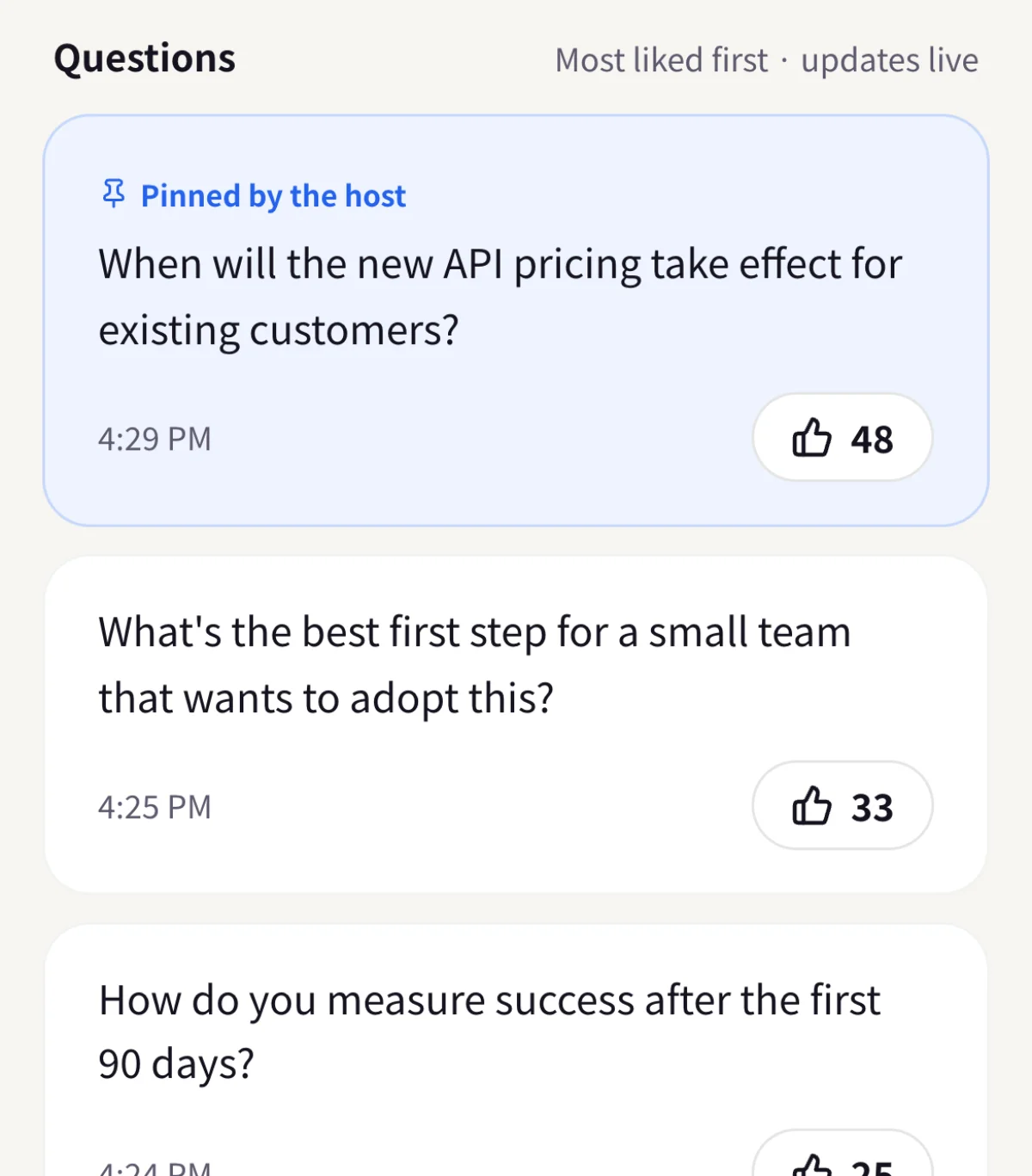
The more people relate, the higher it goes.
Attendees simply like the questions they care about. What the room most wants to know rises to the top on its own.
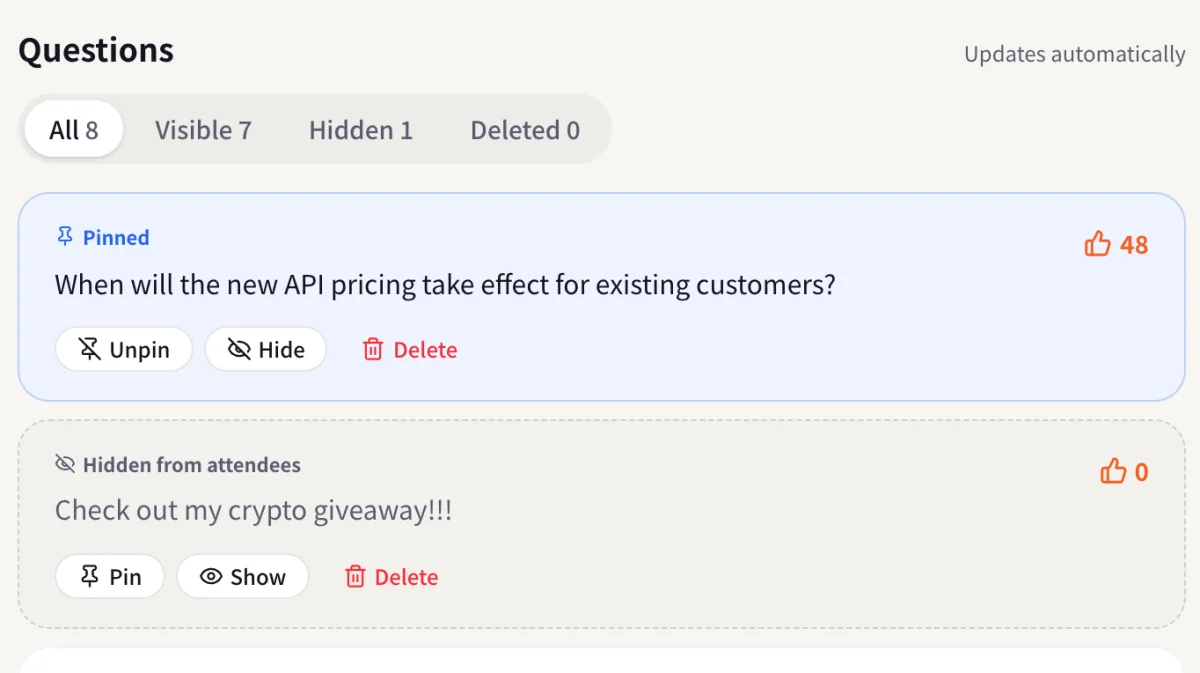
Hide a problem post in one tap.
From the host page you can pin, hide or delete any question instantly. Posts with links and rapid repeat posts are blocked before they appear.
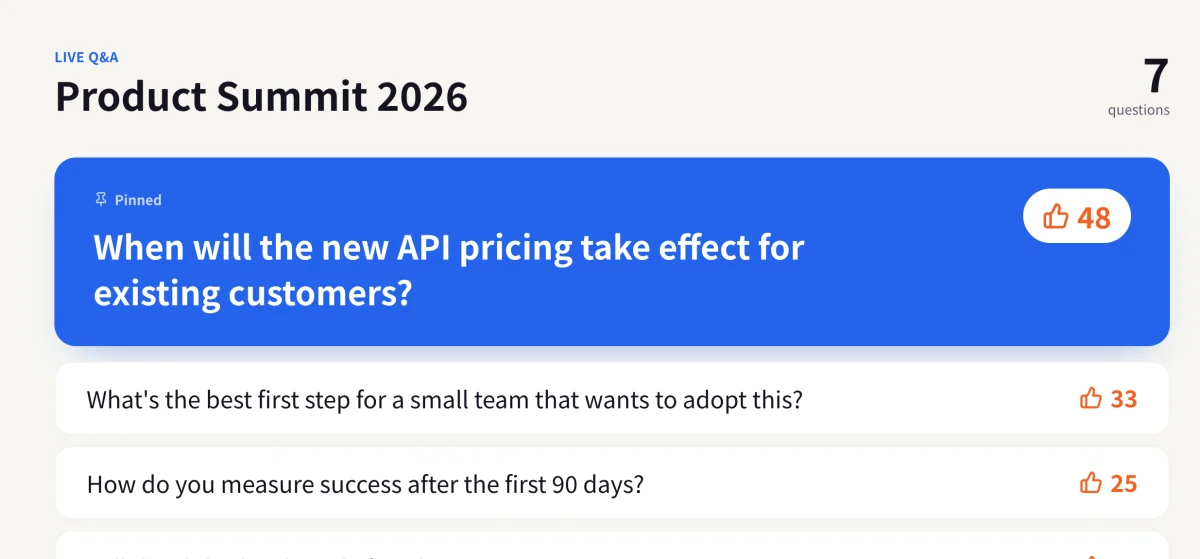
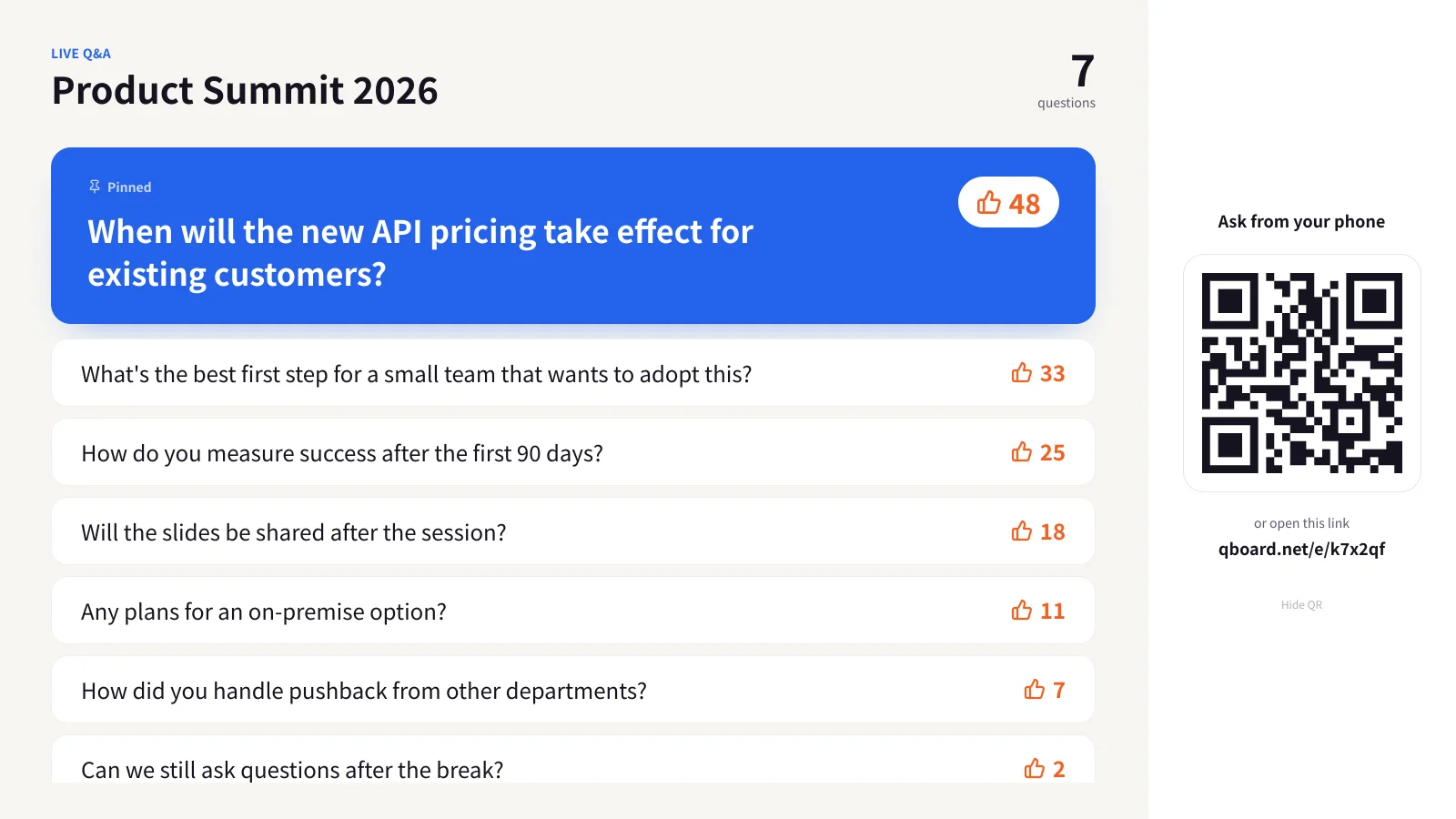
A presenter screen you can read from the back row.
Put it straight on a projector or large monitor. The join QR code is on the same screen, so latecomers can jump in too.
- Attendees
- Up to 1,000 per event
- Duration
- 4 hours from when you press Start
- Spam control
- Posts with links and repeat posts within 30 seconds are blocked automatically
- Devices
- Any phone or computer browser — no app
- Languages
- 16 languages, matched to each attendee’s device
- QR code
- Download as an image for slides and handouts
- After the event
- Review every question you received
- Google Slides
- The Chrome extension shows the question screen inside your slideshow
Google Slides
Show live questions right inside Google Slides.
Install the “QBoard for Google Slides” Chrome extension on the computer you present from. When your slideshow reaches the Q&A slide, that slide turns into the live question screen — no leaving the slideshow, no switching windows.
- Just paste your event link on the Q&A slide
- No sign-in to the extension and no Google account connection
- Attendees still ask from their phones via the QR code
Use cases
Anywhere people gather to listen.

Seminars & talks
Make every minute of the Q&A count.

All-hands & town halls
Collect candid questions for leadership, anonymously.

Training & workshops
Catch the “I don’t get it” from people who won’t raise a hand.

Investor & shareholder meetings
Start with the questions attendees care about most.
Pricing
No subscription.
Pay per event.
Black FridayLimited-time price: the 20-event pack is $174 ($8.70 per event) until December 7.
Sign up freeFree trial
$0
As many times as you like after you sign up
- Up to 30 attendees
- 60 minutes
- Every feature: questions, likes, presenter screen
Per event
$19/ event
Credits are valid for 1 year from purchase
- Up to 1,000 attendees
- 4 hours
- Review questions after the event
- Downloadable QR code
One credit is used when you create an event. The 4 hours start when you press Start.
Frequently asked questions
Do attendees need to install an app or sign up?+
No. They scan the QR code with their phone’s camera, or open the link, and can ask and like questions right away.
Can the host see who asked a question?+
No. Attendees post anonymously, and no names or email addresses are shown — not even on the host’s moderation page.
How does pricing work?+
There’s no subscription. When you run an event, you buy a credit for $19 per event. You can run free trial events (up to 30 attendees for 60 minutes) as many times as you like.
How long does an event last?+
4 hours from when you press Start (60 minutes for the free trial). After it ends, you can still see all the questions that came in.
What if someone posts something inappropriate?+
You can hide or delete it in one tap from the host page. Posts with links and rapid repeat posts are blocked automatically.
Can I set up an event in advance?+
Yes. As soon as you create an event, you get its QR code and join link, so you can add them to slides or invitations. The 4 hours only start when you press Start on the day.
Can I show the questions inside Google Slides?+
Yes. Add the “QBoard for Google Slides” extension to Chrome (or Edge) on the computer you present from, and paste your event link on the Q&A slide. When the slideshow reaches that slide, it turns into the live question screen. The extension needs no sign-in. PowerPoint and Keynote aren’t supported yet.
Which languages does QBoard support?+
The attendee page, presenter screen and host pages are available in 16 languages, including English, Spanish, French, German, Portuguese, Chinese, Japanese, Korean, Hindi and Arabic. They switch automatically to match each person’s device, and can also be switched on screen. Questions can be written in any language.

Hear from the whole room at your next event.
Sign up in a minute. Try it free as many times as you like.
Try it freeAttendees don’t need an app or an account