Q&A Moderator Script: Example Phrases for Opening, No Questions, and Closing

You've been asked to moderate, and the thought of a Q&A where nobody asks a single question is making you nervous.
The fix is simple: write a line for each moment into your script, and a silent room won't throw you.
This article gives you example phrases you can read out as they are, from opening the Q&A session to closing it.
How a Q&A moderator script flows: the 6 moments you need lines for

As the Q&A moderator, you speak at six moments. Write these six headings into your script first, and you'll see at a glance where each line goes.
- OpeningSay that you're moving to Q&A, how people can ask, and how much time there is.
- Calling on someonePoint out the person with a raised hand by where they're sitting or what they're wearing.
- Handing the question to the speakerIf a question is long, sum it up in a sentence, then let the speaker answer.
- When no one asksAdd a word of encouragement and wait. If nothing comes, ask the first question you prepared.
- When time runs shortAnnounce the last question, and say what happens to questions you can't get to.
- ClosingEnd the Q&A by thanking the speaker, then move on to the next part of the program.
A ready-to-use 15-minute Q&A script
Put the six moments together and you get this script for a 15-minute Q&A. Fill in the speaker's name and the first question you've prepared, and you can read it out as it is.
- Opening: Thank you so much for that talk, [Speaker name]. We now have about 15 minutes for questions. If you have a question, please raise your hand.
- Calling on someone: Let's start with you, third row from the front, in the gray suit. Go ahead, please.
- Handing to the speaker: So your question is [short summary]. Have I got that right? [Speaker name], what do you think?
- Next: Thank you for your question. Does anyone else have a question?
- No questions: No question is too small... All right, may I start us off with one of my own?
- Last call: We're running short on time, so we'll make the next question our last.
- Closing: That brings us to the end of the Q&A. Thank you, [Speaker name]. Everyone, please join me in another round of applause.
The sections below give other ways to say each line, and what to say when things don't go to plan.
How to open the Q&A and explain how to ask

When you open the Q&A, tell people three things: that it's time for questions, how to ask, and how much time there is. How questions are taken differs from event to event, so have a version ready for a show of hands and one for a QR code Q&A tool.
Thank you so much for that talk, [Speaker name]. We now have about 15 minutes for questions. If you have a question, please raise your hand, and one of our team will bring you a microphone.
You can send in your questions from your phone using the QR code on the screen. Your name won't be shown, so feel free to ask anything. We'll start with the questions that get the most likes.
Let's begin with some of the questions you sent in when you registered. After that, we'll take questions from the room.
Okay, time for questions. If anything from today wasn't clear, just ask. No need to hold back.
When you've invited an outside speaker, keep your wording polite and a little formal throughout. For internal training, a more relaxed tone makes it easier for people to put their hands up. Adding a time or a number, like "about 15 minutes" or "about three questions", gives people a moment to get a question ready. Even when you take questions by QR code, say "You're also welcome to raise your hand," so you don't miss people who won't take out their phones.
How to call on people and hand questions to the speaker

When a hand goes up, it's perfectly polite to point the person out by where they're sitting or what they're wearing, even if you don't know their name. At events with outside guests, you may ask for their name and organization. At internal events, or when questions are anonymous, you can skip that.
Let's go to you, third row from the front, in the gray suit. If you don't mind, please tell us your name and organization first.
Thank you. So your question is how to handle things when [situation]. Is that right? [Speaker name], what do you think?
Thank you for your question. Does anyone else have a question?
When a question runs long, restating the main point means everyone in the room hears the same question. It also makes clear to the speaker what to answer, so the answer tends to be shorter and more focused.
What to say when someone makes a long comment or asks a hard question
Sometimes a person gives a long opinion instead of asking a question, or asks something the speaker can't easily answer on the spot. Write these lines in the margin of your script, so you can step in without making it awkward.
Thank you for sharing that. It's a valuable point. As we're short on time, could you put your question to [Speaker name] in one sentence?
Thank you. That question depends a lot on your own situation, so could you ask [Speaker name] about it directly after the session?
You've asked two questions, so let's take the first one first. [Speaker name], over to you.
In every case, thank the person first, then say what happens next. That way the person who asked doesn't lose face. If the speaker gets stuck, you can step in yourself: "We'll get back to you on this point after the event."
What to say when there are no questions
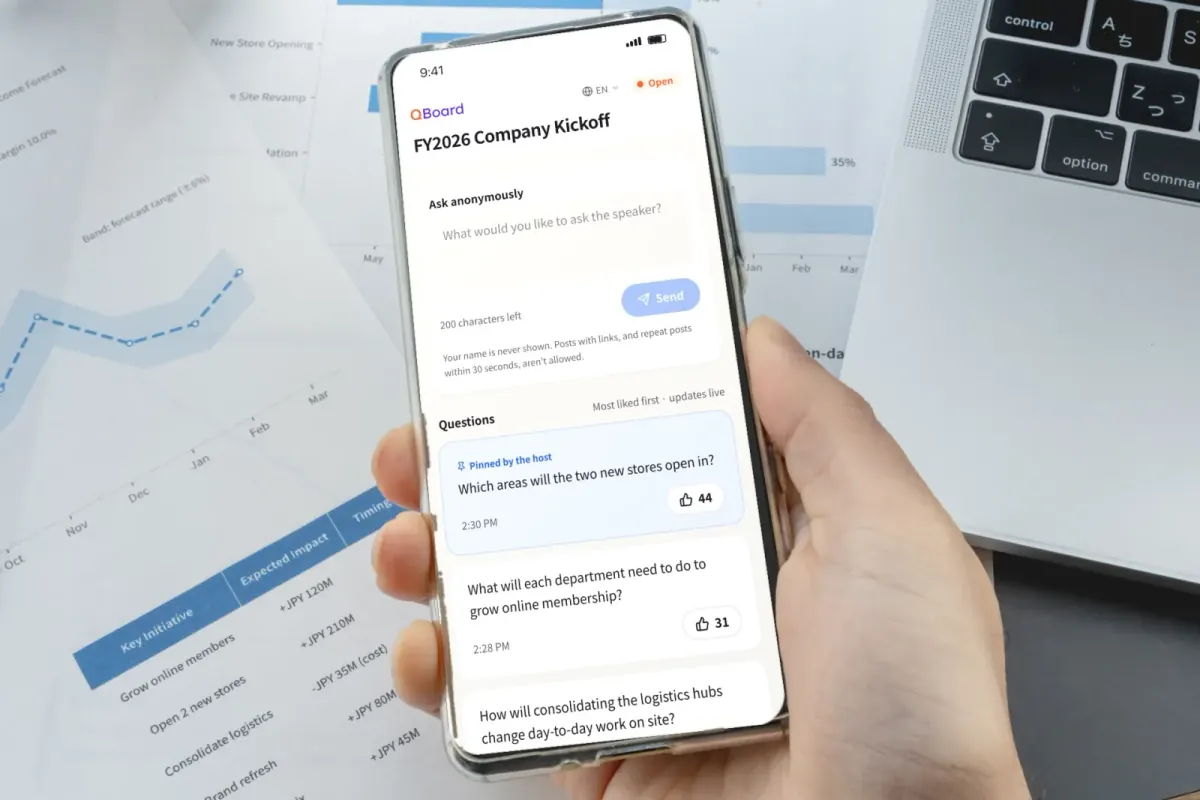
If no hands go up after "Any questions?", you don't need to wrap up right away. Wait a few seconds, then add a line that makes it easier to ask. If there's still nothing, ask the first question you prepared. Here are lines you can use in this order.
No question is too small. Is there anything from today's talk you'd like to hear a bit more about?
Well, may I ask one to get us started? Earlier you talked about [topic]. What should we do if [situation]?
When people registered, we received a question about [topic]. [Speaker name], could you take that one?
It looks like there are no questions, so we'll end the Q&A here. If anything comes to mind later, please write it on the feedback form. [Speaker name], thank you very much for today.
Don't try to come up with your first question while listening to the talk. It's safer to agree on it with the speaker when you prepare together. Pick a basic question that many people in the room probably want to ask, and others will find it easier to follow with their own.
If you want less silence in the first place, the quickest fix is to give people a way to ask without raising their hands. With an anonymous Q&A tool, participants send questions from their phones through a QR code, and you just read out what comes in.
Let me read out a question sent in from your phones. The one with the most likes is: "How should we go about [topic]?" [Speaker name], over to you.
What to say when time runs short, and how to close the Q&A

As the end time gets close, don't cut things off suddenly. Announce that the next question is the last. Also say what will happen to the questions you couldn't get to, so people who had their hands up don't leave frustrated.
We're running a little behind today, so we'll keep the Q&A to about five minutes. One question per person, please.
We're running short on time, so we'll make the next question our last.
For any questions we couldn't get to today, we'll send you the answers after the event, together with the slides.
That brings us to the end of the Q&A. [Speaker name], thank you so much for sharing your insights with us today. Everyone, please join me in another round of applause.
If you took questions with a Q&A tool, you can look back over the full list of questions after the event. Split the unanswered ones with the speaker and reply to them, and attendees will leave feeling it was worth asking.
Example phrases for online Q&A and webinars

Online, questions arrive as text, so you become the person who reads them out. At the start, tell people whether names will be read out and where to type their questions.
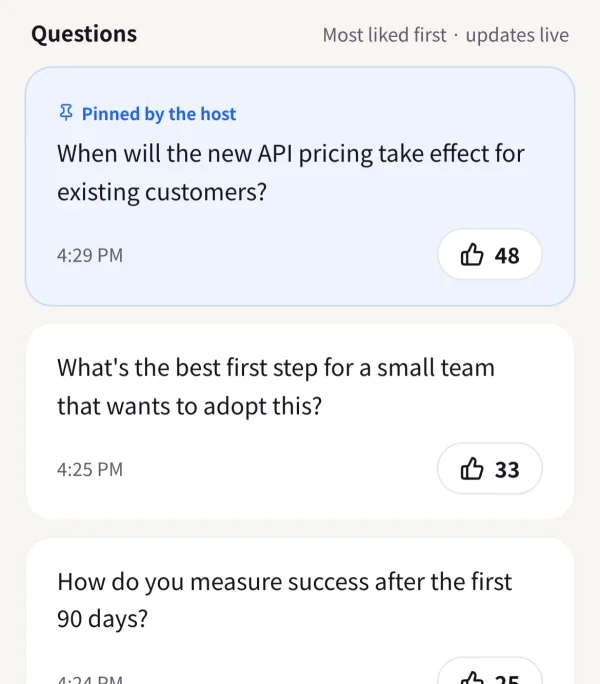
Screen: QBoard participant view
Please type your questions in the Q&A (or the chat) at the bottom of your screen. We'll read them out in the order they come in, without names.
We have a question about [topic]: "What should we do if [situation]?" [Speaker name], over to you.
If you'd like to ask your question out loud, please press the raise hand button. I'll call your name, and then you can unmute and go ahead.
At hybrid events, with people both in the room and online, collecting every question in one place makes reading them out much easier. Share the Q&A tool's link as a QR code in the room and in the online chat, and all the questions appear on one screen, sorted by likes.
Summary: write the phrases into your script and read them aloud

Write lines for opening, for when there are no questions, and for closing into your script, and you can stay calm even if no one asks. Above all, agree on your first question for a silent room with the speaker in advance.
If you'd like less silence at your next event, try QBoard, which lets people send questions anonymously through a QR code. The free trial (up to 30 participants for 60 minutes) can be used as many times as you like, so you can also use it to rehearse your script.
Put the QR code on the screen, and participants ask anonymously from their phones. Questions line up on the screen with the most-liked at the top, so your Q&A keeps moving.
Try it freeFree trial for up to 30 participants and 60 minutes, as many times as you like. Participants need no app and no sign-up.