What Is a Panel Discussion? Format, How to Run One, and Planning Tips
You've been put in charge of a panel discussion, but you're not sure how it differs from a talk or how to run it.
Simply put, a panel discussion is a format where several speakers discuss one theme, led by a moderator, and the audience joins in.
This article covers how many people to put on the panel, how to run a 60-minute session and split the time, and how to plan and script it.
What Is a Panel Discussion? A Simple Definition
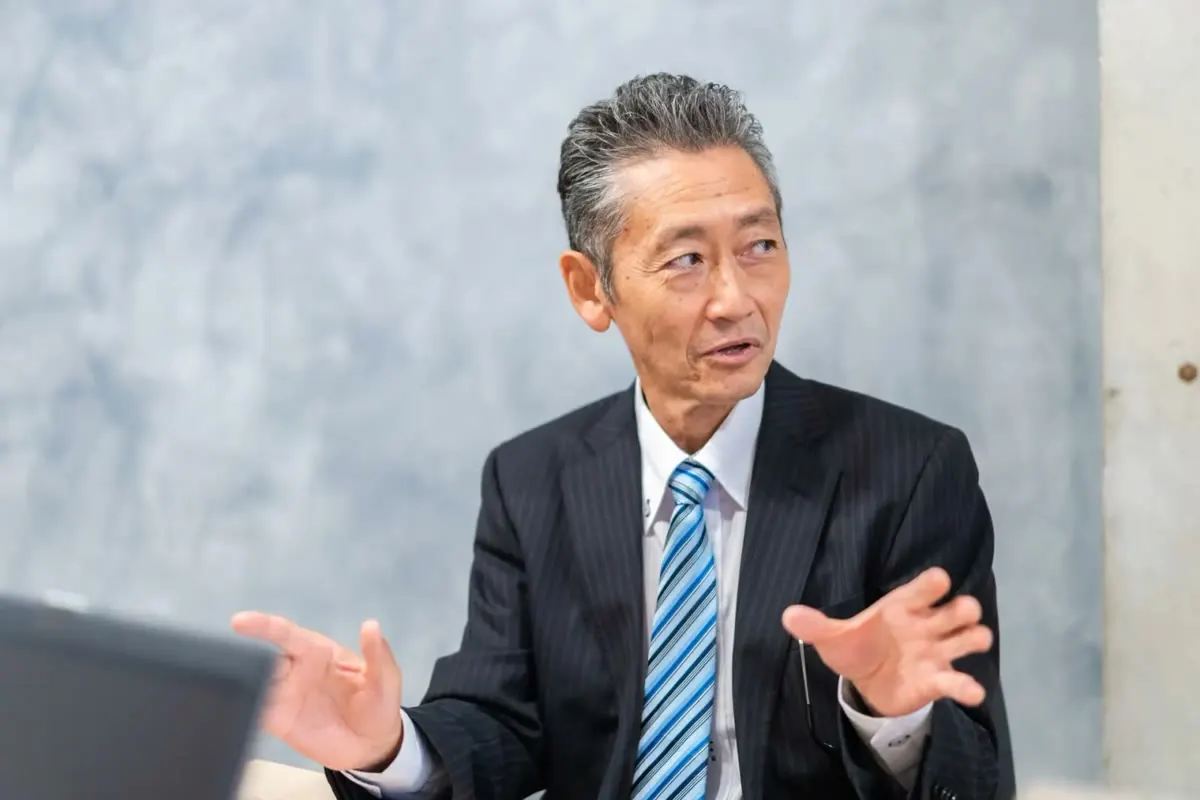
A panel discussion is a format in which several speakers with different roles or views discuss one theme in front of an audience, led by a moderator, and then answer questions from the room at the end. The Britannica International Encyclopedia, the Japanese edition of Britannica, describes it as a way of debating in which representatives, chosen because their opinions are expected to differ, state and argue their views before an audience, which then joins in, guided by the chair.
The difference from a talk is whether you hear one person or an exchange between several. In a talk, you listen to the speaker's prepared material from start to finish. In a panel discussion, the panelists answer the moderator's questions on the spot, and the conversation moves as they respond to each other. That's why the same theme can turn out very differently depending on who's on the panel.
Roles of the moderator, panelists and audience
A panel discussion has three parties: the moderator, the panelists and the audience. The moderator leads the session, introduces the theme, directs questions to the panelists and pulls the discussion together. The panelists sit on stage and give their views, and they're chosen to represent different positions on the theme. The audience listens to the discussion and joins in by asking questions in the final Q&A.
The moderator in particular makes or breaks the session, so we cover the role and how to prepare in what a panel moderator does.
How many people should be on a panel?
A common setup is three or four panelists plus one moderator. With only two panelists, differences of opinion rarely come out. With five or more, each person gets less time to talk, and simply going round everyone uses up the session. For a 60-minute panel, three panelists and a moderator, four people in all, leaves room to come back to each panelist two or three times.
Other names for a panel discussion
In English, a panel is a group of people chosen for a purpose, and each member is a panelist. Event programs often shorten it to “panel”, and internal events sometimes use names like “roundtable” or “talk session”. If the audience will join in with questions, saying so in the program, for example “panel discussion with audience Q&A”, helps people know what to expect.
Panel Discussion vs Symposium vs Group Discussion
A panel discussion is often compared with a symposium and with a group discussion. All three involve several people exchanging views, but they differ in whether each person gives a presentation, who does most of the talking, and whether there's an audience.
| Format | Individual presentations | Who mainly talks | Audience role | Where it's common |
|---|---|---|---|---|
| Panel discussion | None, or just short self-introductions | The panelists, with each other | Joins in at the final Q&A | Industry events, internal events, recruiting info sessions |
| Symposium | A full presentation from each speaker | Speakers present in turn, then discuss | Joins in at the final Q&A | Academic conferences, universities, local government events |
| Group discussion | None | Everyone taking part | No audience | Meetings, classes, hiring assessments |
The “Individual presentations” column is what separates a panel from a symposium. If you're the organizer and can't decide, choose a symposium when you want the audience to hear each speaker's presentation in full, and a panel discussion when you want to show the speakers' exchange. For a table comparing symposiums with forums, seminars and lectures, see what a symposium is and how it differs from similar events.
A group discussion is the broad term for people talking something through together. A discussion in a meeting or a class and the group discussion used in hiring are both group discussions, but neither has an audience. A panel discussion takes that kind of conversation and puts it in front of an audience.
Pros and Cons of a Panel Discussion

Here are the pros and cons of a panel discussion from the organizer's point of view. Compared with a lecture or a seminar with one instructor, what you gain and where it takes more work are clearly different.
Pros
- The audience hears one theme from several perspectives
- The back-and-forth keeps people engaged
- Each panelist needs less preparation than for a talk
- Candid views and concrete examples come out that wouldn't be in a script
Cons
- The quality depends heavily on the moderator
- The conversation easily drifts off topic
- A few panelists can end up doing most of the talking
- Timing is hard to predict and often runs over
A panel also isn't suited to events that need to teach steps or knowledge in order, such as a briefing on a new policy or training on how to use a system. Because the conversation spreads in many directions, people may leave still wondering what they're actually supposed to do. Use a seminar with one instructor for those, and save the panel for events meant to broaden people's thinking.
Most of the cons can be reduced through preparation and moderation. Narrow the discussion to about three points at the planning meeting, and have the moderator watch the clock and bring everyone in. That prevents both drifting and one-sided talk. You can also start collecting questions partway through, so the audience isn't left behind. The next section covers a concrete timeline and the adjustments to decide on in advance.
Panel Discussion Format: How to Run It and a 60-Minute Timeline
For a 60-minute panel discussion, a good split is 5 minutes for the opening, 10 for panelist introductions, 30 for discussion, 10 for Q&A and 5 for the wrap-up. Give half the time to the discussion, and block out the 15 minutes for Q&A and wrap-up first, as time you won't cut. Then you won't be rushing at the end.
| Time | Segment | Who mainly talks | What happens |
|---|---|---|---|
| 0–5 min | Opening | Moderator | Introduce the theme and how the session will run |
| 5–15 min | Panelist introductions | Panelists | Each explains how they connect to the theme |
| 15–45 min | Discussion (30 min) | Moderator and panelists | Go deeper, one point at a time |
| 45–55 min | Q&A (10 min) | Audience and panelists | Choose questions and name who answers |
| 55–60 min | Wrap-up (5 min) | Moderator and panelists | A closing word from each panelist, then close |
For a 90-minute session, extend the discussion to about 50 minutes and the Q&A to about 20 to keep the balance. If you only have about 30 minutes, have the MC read out the panelists' introductions instead, and narrow the discussion to one or two points.
How the panel runs on the day
On the day, the session falls into six parts. The moderator runs the conversation, so the organizer and staff handle the behind-the-scenes work for each part.
- Opening and themeThe MC opens the session and invites the moderator and panelists onto the stage. Put the QR code for questions on the screen now, too.
- Panelist introductionsCollect short bios in advance and give them to the moderator. Show names and titles on the slides as well.
- The first questionStaff check that every panelist has a microphone. If they're sharing one, help pass it along.
- Discussion, point by pointThe timekeeper signals the moderator when the end time for each point arrives.
- Audience Q&AThe person watching the question screen picks the questions to take up and passes them to the moderator. If you take raised hands, a mic runner brings the microphone to the person's seat.
- Wrap-up and closeAfter the moderator wraps up, the MC thanks everyone and mentions the survey or the next event.
For lines the moderator can use in each part, see our moderator run of show and sample script. As the organizer, get a feel for the flow, and give the moderator a run of show with the start time of each of these six parts.
When the discussion falls flat or runs over
When a discussion falls flat, the cause is usually set before the day. Either the panelists agree too much, or the points are so broad that no one can go deep. So as the organizer, make sure at the planning meeting that there's at least one point where, say, Panelist A and Panelist B see things differently. Keep one of the audience questions collected at registration on hand, too, to fill any lull.
Also decide in advance what to cut if you run over. The basic rule is to shorten or skip the third point and keep the Q&A and wrap-up. Have a timekeeper hold up cards saying “10 minutes left” and “5 minutes left” for the moderator, so they notice the time even mid-sentence.
How to Plan a Panel Discussion: Theme, Panelists and Script

Plan a panel discussion in this order: theme, panelists, moderator, then the planning meeting and the script. Once the theme is set, it's clear why you're inviting each panelist, and once the panelists are confirmed, you can work out the discussion points at the planning meeting.
Make the theme a question with no single right answer
Choose a theme whose answer depends on where you stand, such as “Should we keep remote work?” or “How can rural areas cope with staff shortages?” If the theme has one right answer, like “The basics of [topic]”, a talk by one speaker is enough. Framing the theme as a question gets both panelists and audience thinking, “How would I answer that?” as they listen.
Choose panelists who see the theme from different sides
Combine people who deal with the same theme from different positions. For “How can rural areas cope with staff shortages?”, that might be a local government official, a local business owner, and someone from an organization that supports foreign workers. For an internal event, choose people from different departments, age groups or career paths, and the same company will look different from each seat. When you invite them, along with the date, theme and speaking time, tell each one which perspective you'd like them to speak from. That keeps their contributions from overlapping on the day.
Who should moderate?
Ask someone who understands the theme and can bring in every panelist without leaning toward any one position. If one of the panelists also moderates, the discussion tends to drift toward that person's views. Once you've chosen a moderator, ask them to draft the discussion points before the planning meeting. It speeds up preparation. For who makes a good moderator and how moderators prepare, see this article.
The planning meeting and writing the script
Hold a planning meeting of about 30 minutes with the moderator and all the panelists, one to two weeks before the event. It can be online. Use it to confirm the discussion points and speaking order, how long each answer should be, any topics to avoid, and whether anyone will use slides.
Write the script as a run of show that lists the time, segment, who speaks and what happens. Write the opening and closing remarks out word for word, but for the discussion, stop at the points and the first question. If you script the discussion word for word, the panelists just read their lines, and you lose the live exchange that makes a panel worth watching. Give the run of show to the MC, sound and streaming staff as well as the speakers, and microphone and screen changes will go smoothly.
How to Involve the Audience in the Panel Q&A

After 30 minutes of discussion, asking “Any questions?” often gets no hands, all the more so if the panelists are outside experts or executives. To involve the audience, don't wait for the Q&A. Start collecting questions during the discussion.
At the opening, put a QR code on the screen and say, “If anything comes to mind during the discussion, send it from your phone.” With QBoard, for example, participants can send questions without an app, without signing up and without giving their name. They can like other people's questions, the list is sorted by likes, and the projector screen refreshes automatically every 5 seconds.
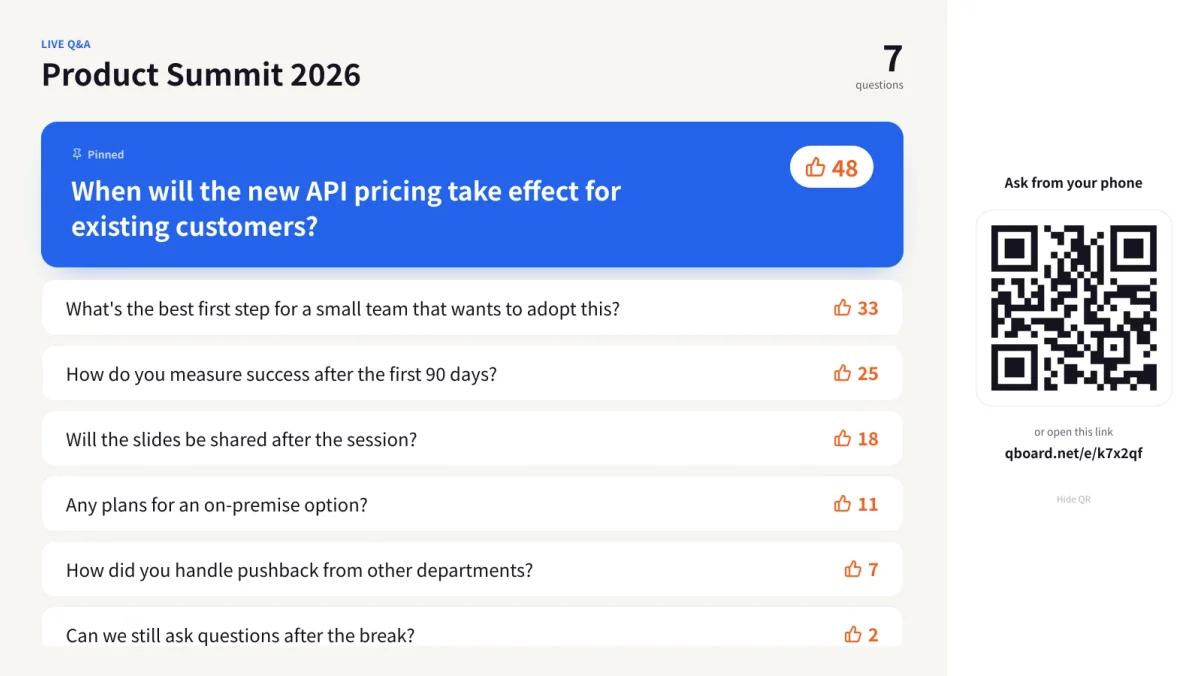
Screen: QBoard projector view
In the Q&A, the moderator reads out the most-liked questions first, so the panel answers in order of what the room most wants to know. Have one person on the organizing team watch the question screen, pin the questions to take up, and pass them to the moderator. The moderator can then focus on running the session.
Because questions are anonymous, you may worry about harsh words aimed at panelists or posts that have nothing to do with the theme. QBoard automatically blocks posts containing URLs and repeat posts within 30 seconds, and the organizer can hide any question from their own screen. For how to pick up questions, what to do with the ones you can't answer, and how to pass them to panelists, see moderator tips for taking audience questions.
Panel Discussions at Recruiting Events and Internship Info Sessions

At company info sessions for job seekers and interns, a panel discussion usually means several employees from different years and departments sitting side by side and talking, as part of the company presentation. Someone from HR moderates, asking things like “Why did you decide to join?” and “What does a typical day look like?” As a student, you're there to listen and don't need to join the discussion. It's different from the group discussion some companies use as a selection exercise, where candidates discuss a topic with each other.
As you listen, note how each employee's story differs. Those notes give you material for questions at the informal chat after the session, or when an interviewer asks, “Do you have any questions for us?” at the end of an interview. If you raise your hand in the Q&A, tie your question to what you heard: “You mentioned [topic]. Do new hires get that kind of work in their first year?” It shows you were listening, and the employees will remember you. If you're not sure how to open a question, the examples in how to ask a question at a talk work here too.
Summary: Start with the Theme and the Moderator

A panel discussion is a format where several speakers with different perspectives discuss one theme, led by a moderator, and the audience joins in at the end. Unlike a talk, the content is shaped by the exchange on the day, so how you frame the theme and how well the moderator prepares decide how good the session is.
If you're in charge, start by choosing a theme with no single right answer and a moderator who won't lean toward any panelist. Collect audience questions by phone, and the Q&A will feel like a continuation of the discussion. QBoard's free trial (up to 30 participants, 60 minutes) can be used as many times as you like, so try opening one at the planning meeting and looking at the question screen together with the panelists.
Put a QR code on the screen, and participants send questions anonymously from their phones. The most-liked questions rise to the top, so the moderator can start with what the room most wants to know.
Try it freeFree trial: up to 30 participants for 60 minutes, as many times as you like. Participants need no app and no sign-up