Panel Moderator Tips: Role, Preparation and a Sample Script

You've been asked to moderate a panel of executives from outside companies at next month's event, and you're not sure what to prepare.
The moderator is the person who shapes the discussion, so if you prepare your discussion points and questions in advance, you can run the panel calmly on the day.
This article covers how a moderator differs from an MC, how to prepare, and a sample script you can adapt.
What Does a Panel Moderator Do? The Role in Brief
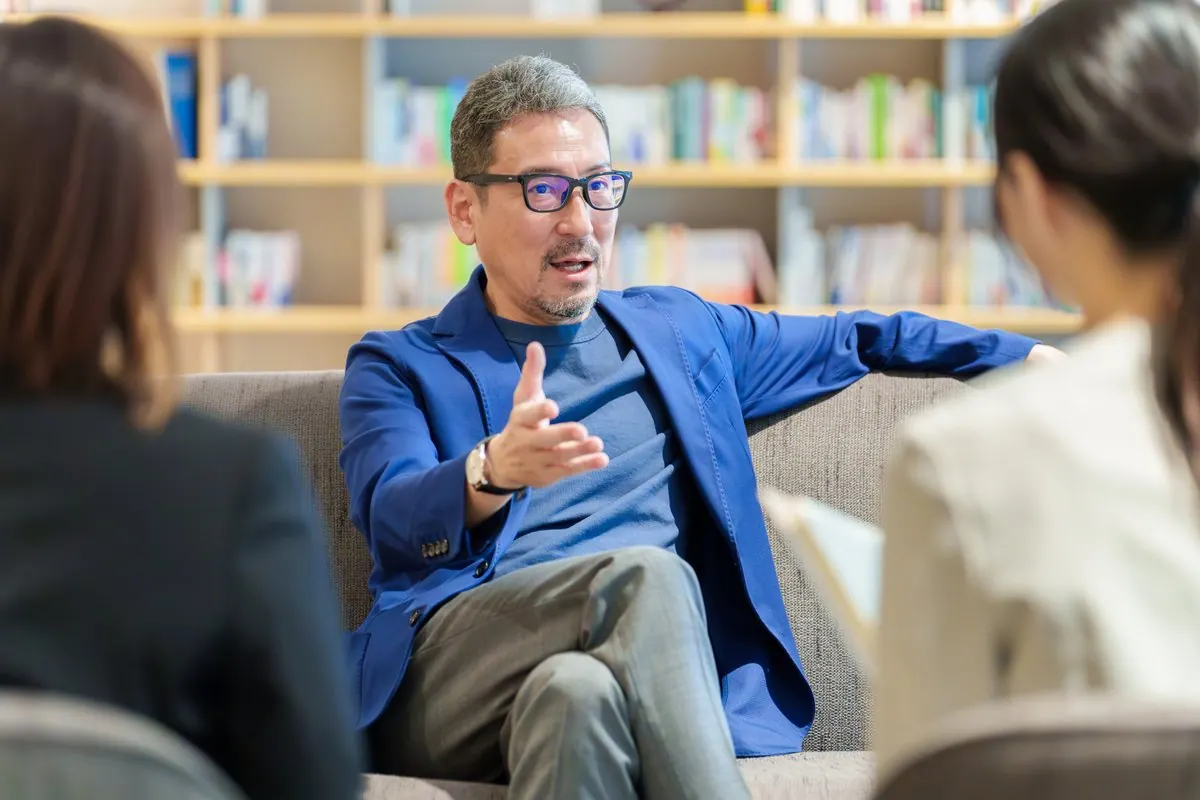
A panel moderator is the person who runs a panel discussion: they set out the discussion points, direct questions to the panelists to draw out their views, pull the discussion together, and connect it with the audience. The job isn't to give your own opinions. It's to link what the panelists say into a discussion that makes the audience glad they came.
It's easiest to think of the role in four parts, following the flow of the day. First, at the opening, you introduce the theme and the question the session will explore, which sets the direction for the discussion. Next, you call on panelists by name and deepen the discussion by connecting their views with the others'. At the end of each point, you briefly sum up what's been said and move on to the next. Finally, you pick up questions from the audience and pass them to the panelists, linking the stage and the seats.
You don't need to be an expert on the theme. At internal events, the moderator is often someone from planning or communications. At industry events, it's often a journalist who covers the subject or someone from an industry association. What's needed isn't the ability to talk more knowledgeably than the panelists. It's the ability to listen, grasp the key point, and ask what the audience wants to know on their behalf. So even if it's your first time, you can do the job well as long as you prepare.
What “moderator” means
A moderator is the person who chairs a debate or a meeting. The verb moderate means to make something less extreme or keep it within limits, so the word carries the sense of someone who keeps a discussion from going too far. People who review posts on social media or online forums are also called moderators, but that's a different role from a panel moderator.
Moderator vs Facilitator, MC and Chair: What's the Difference?
Similar terms include facilitator, MC and chair. All of them run some kind of session, but they differ in how far they get into the substance of the discussion.
| Role | Typical setting | How involved |
|---|---|---|
| Moderator | Panel discussions, debates | Directs questions and deepens the discussion |
| Facilitator | Meetings, workshops, training | Draws out views and guides the group to agreement |
| MC (host) | Ceremonies, lectures, seminars | Mainly runs the program and keeps time |
| Chair (coordinator) | Symposium discussions | Links the presentations and sorts out the key points |
The role most often confused with moderator is facilitator. In meetings and workshops, a facilitator sets things up so everyone can contribute and guides the group toward a conclusion or agreement. A moderator, by contrast, shows a discussion between speakers to an audience, so there's no need to reach a single conclusion.
The MC guides the overall program at a ceremony or lecture and keeps time, but doesn't get into the substance of the discussion. At panel discussions, too, the MC often handles the opening, bringing the speakers on, and the closing remarks, leaving the discussion itself to the moderator. If you're doing both jobs, also look at our Q&A moderator script and example phrases.
At symposiums, the person who runs the discussion is often called the chair or coordinator, and the job is almost the same as a moderator's. To see which part of a symposium they handle, read the typical symposium flow and a sample program.
Moderator vs panelist
Panelists are the people on stage who share their own views and experience. The moderator is the one asking them questions and doesn't give long opinions of their own. That said, when the discussion stalls, offering something to work with, such as “On the front line, I also hear people say…”, is one of the moderator's important jobs.
How to Prepare to Moderate a Panel

Start preparing two to three weeks before the event, and you'll have time to spare. You want draft discussion points and questions ready before you meet the panelists, so work through these five steps in order.
- Agree on the theme and the question for the audience to take homeAsk the organizer about the purpose of the event, and answer this in one sentence: “When it's over, what should attendees be thinking about?”
- Research the panelists' backgrounds and positionsRead interviews and company websites, and note each panelist's position on the theme and examples they're likely to share.
- Draft three discussion points and a question listFor each point, prepare questions for everyone and questions for specific panelists.
- Meet with the panelistsAsk each one what they most want to get across, which examples they're happy to share, and any topics they'd rather avoid.
- Write your own moderator notesOn the organizer's run of show, add the start time and questions for each point, and how to pronounce each panelist's name.
In your question list, write down who you'll ask for each point, and you won't hesitate on the day. For example, if the theme is ways of working and the panel is someone from HR, a frontline employee and a researcher, it might look like this:
- Point 1: What's the biggest challenge with the way you work now? (to everyone)
- Point 2: How do you decide what's done in the office and what's done remotely? (to [Name] from HR)
- Point 2, follow-up: How does that line feel to people on the front line? (to [Name], frontline employee)
- Point 3: If you could keep one way of working going forward, what would it be? (to everyone)
Order the points from easy to answer to more divisive. If you open with a question that pits people against each other, panelists get defensive and the conversation stiffens. Prepare about twice as many questions as you'll use, and you'll always have the next one ready, whether an answer is short or the conversation heads somewhere unexpected.
Build what each panelist told you they most want to get across into your question order, so they get to say it at least once during the discussion. Organizing the planning meeting and writing the overall run of show is the organizer's job, so read the article below to be clear on who does what.
How to Moderate a Panel: Run of Show and Sample Script
On the day, the panel runs in this order: opening, panelist introductions, the first question, discussion, audience Q&A, and wrap-up. Unlike the script for a Q&A MC, a moderator's lines are mostly about directing questions and linking what was just said to what comes next. Write the opening and closing out word for word, and for the discussion, write only the first line of each part. Then you can adapt your words to what the panelists say.
Sample lines for the opening and panelist introductions
At the opening, give the theme and the question you want the audience to take home, and also the finish time, so the audience can relax and listen. If you explain how to send questions here, they'll start coming in during the discussion.
Good afternoon, everyone. I'm [your name] from [organization], and I'll be moderating today's panel. Our theme is [theme]. We'll hear from three people with very different perspectives, each speaking from their own work, and by the end I hope you'll be thinking about what you'd keep in your own workplace. We'll finish at 4:00 pm. You can send questions at any time using the QR code on the screen.
For introductions, read a short version of each panelist's background from your notes, and ask them to talk only about how they connect to the theme. That keeps introductions from running long.
First, let me introduce our panelists. [Name] is responsible for [area] at [organization]. [Name], could you take about two minutes to tell us how you're connected to today's theme?
Sample lines for the first question and the discussion
Make the first question one that everyone can answer briefly. Once everyone has spoken once, the nerves on stage ease.
To start, I'll ask all of you the same thing. In a sentence, what's your biggest challenge with [topic] right now? [Name], would you like to go first?
In the discussion, call on panelists by name and link what the last person said to your next question. When a difference of opinion comes out, don't stop there. Dig into it, and you'll get to what the audience most wants to hear.
[Name] said [point]. [Name], how does that look where you work?
You two see [point] differently. [Name], could you tell us a bit more about that?
To sum up so far, there seem to be two views: [view A] and [view B]. Next, let's talk about [next point].
Sample lines for the audience Q&A and the wrap-up
When you read out an audience question, always name who should answer. Without a name, panelists defer to each other and time slips away.
Now let's take questions from the audience. The question with the most likes is: “[question]”. I'd like to ask [Name] to take this one.
For the wrap-up, ask each panelist for a few words, then restate the key points yourself in two or three items. Close by going back to the question you posed at the opening, and the whole session will hang together.
Finally, could each of you leave the audience with a few words? (Each panelist speaks.) Thank you. Today we got two useful ideas: [idea A] and [idea B]. Please take home the question we started with, what you'd keep in your own workplace, and think it over. For questions we couldn't answer today, the organizers will send answers after the event.
Directing Questions to Panelists, and What to Do When Things Go Wrong

When you direct a question, always say the panelist's name first. If you ask “Would anyone like to answer?”, panelists defer to each other and you get silence. Don't use the same order every time. Start with the person whose position is closest to the point at hand, and the answers get more concrete. Quote part of what the previous person said when you turn to the next, and the panelists' answers connect, so the audience can follow the thread.
To keep a few panelists from doing all the talking, it helps to tally in your notes how many times each person has spoken. If someone hasn't spoken for a while, start the next question with them. And ask one question at a time. If you ask, “What do you think about [topic A] and [topic B]?”, answers get long, and often only one part gets answered.
Even so, some moments on the day won't go to plan. Here are four common ones, with a line you can use on the spot and what you can do beforehand.
| Situation | What to say on the spot | What to do beforehand |
|---|---|---|
| Someone talks too long | “How would you sum that up in a sentence?” | Ask for about 2 minutes per answer |
| No one has much to say | “What about in the case of [situation]?” | Ask what examples they can share |
| A disagreement heats up | “You both agree on [point], though.” | Share the points where views split |
| You're running over | “Next, 30 seconds each, please.” | Note the end time for each point |
Whatever happens, acknowledge what the panelist said before signaling what comes next, and it won't come across as rude. Even with outside experts or executives, pointing to the time (“Since we're short on time…”) makes it easier to ask them to wrap up. When a disagreement heats up, don't declare a winner. Put into words what the two have in common, then move on to the next point.
Moderator Tips for Taking Audience Questions
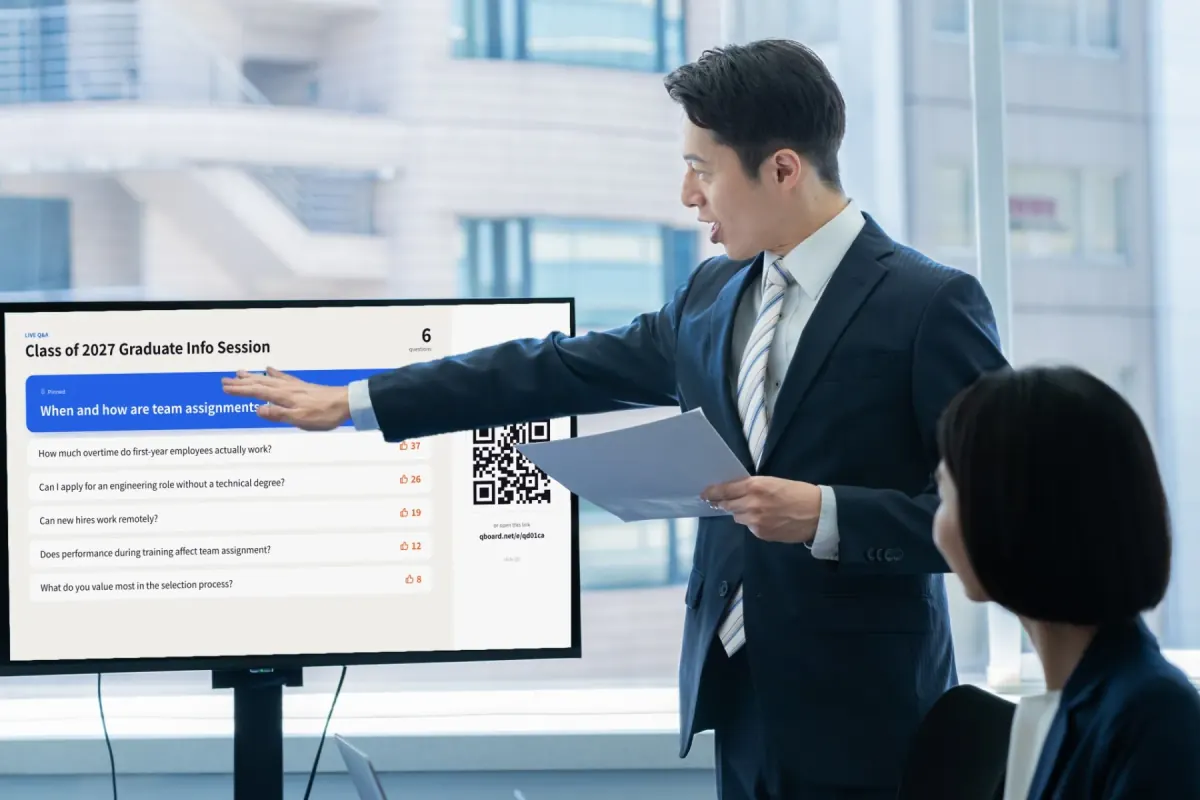
You don't have to save audience questions for the Q&A. Bring one that fits the current point into the discussion, and the panelists' conversation moves toward what the audience cares about.
With QBoard, for example, participants send anonymous questions from their phones through a QR code and can like other people's questions. At the end of each point, glance at the list on the screen and check which questions have the most likes. When you bring one in, adding “We've had the same question from the audience” closes the distance between the stage and the seats.
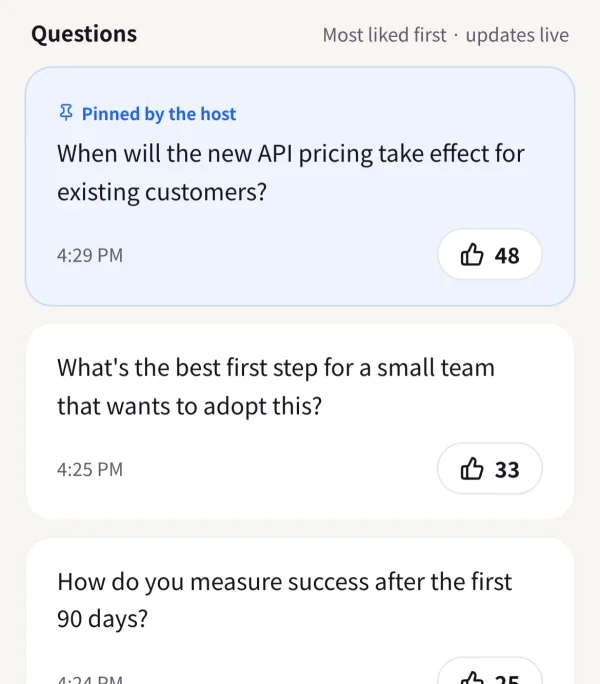
Screen: QBoard participant view
If several similar questions come in, combine them into one: “We've had three questions along the same lines.” It saves time, and everyone who asked feels their question was taken up. Pin the next question you'll take up from the organizer's screen. It moves to the top of the list, so the audience can follow which question is being answered.
When time's up, don't cram in the remaining questions. Close with a promise to send answers afterwards, as in the closing script. QBoard keeps the question list viewable after the event, so you can share out the answering with the panelists.
Summary: Prepare Your Points and Script, Then Step Up

A panel moderator is the person who sets the discussion points, draws out the panelists' views, pulls the discussion together and connects it with the audience. An MC guides the program, while a moderator builds the substance of the discussion, so how the day goes is largely decided by your preparation.
Once you've been asked, start by agreeing with the organizer, in one sentence, on the question for the audience to take home, then draft three discussion points and a question list. For the script, writing the opening and closing word for word, and only the first line of each part of the discussion, is plenty. Collect audience questions by phone, and you can run the Q&A without breaking the flow. QBoard's free trial (up to 30 participants, 60 minutes) can be used as many times as you like. Send a few questions from your own phone and watch the most-liked ones rise to the top, and it becomes easier to picture how you'll pick them up on the day.
Put a QR code on the screen, and people in the room send questions anonymously from their phones. The most-liked questions rise to the top, so even mid-discussion you can see at a glance what the audience cares about.
Try it freeFree trial: up to 30 participants for 60 minutes, as many times as you like. Participants need no app and no sign-up